
How to add a method for receiving commissions
This article will guide you through adding a method to receive the commissions you earn as an affiliate.
To proceed, make sure you have the following:
• An active account.
• Completed at least one affiliate sale.
To begin, follow these steps after logging into your affiliate dashboard:
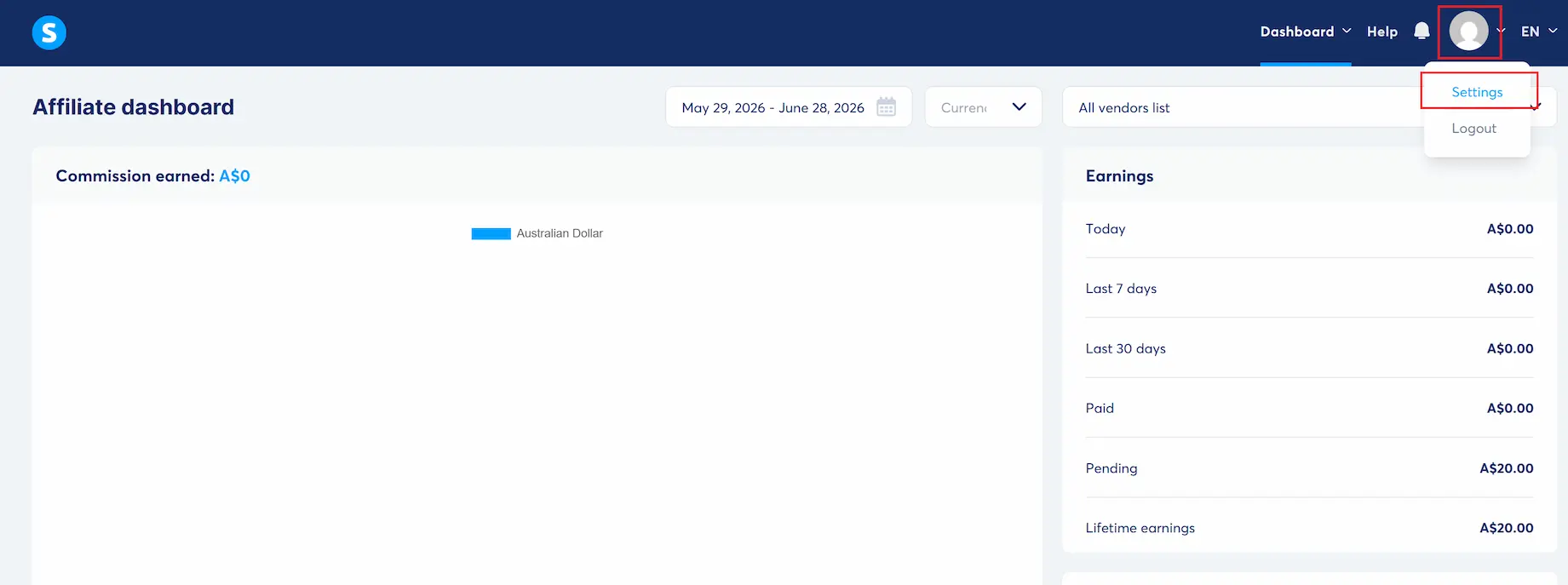
First, click on your profile picture and select Settings.
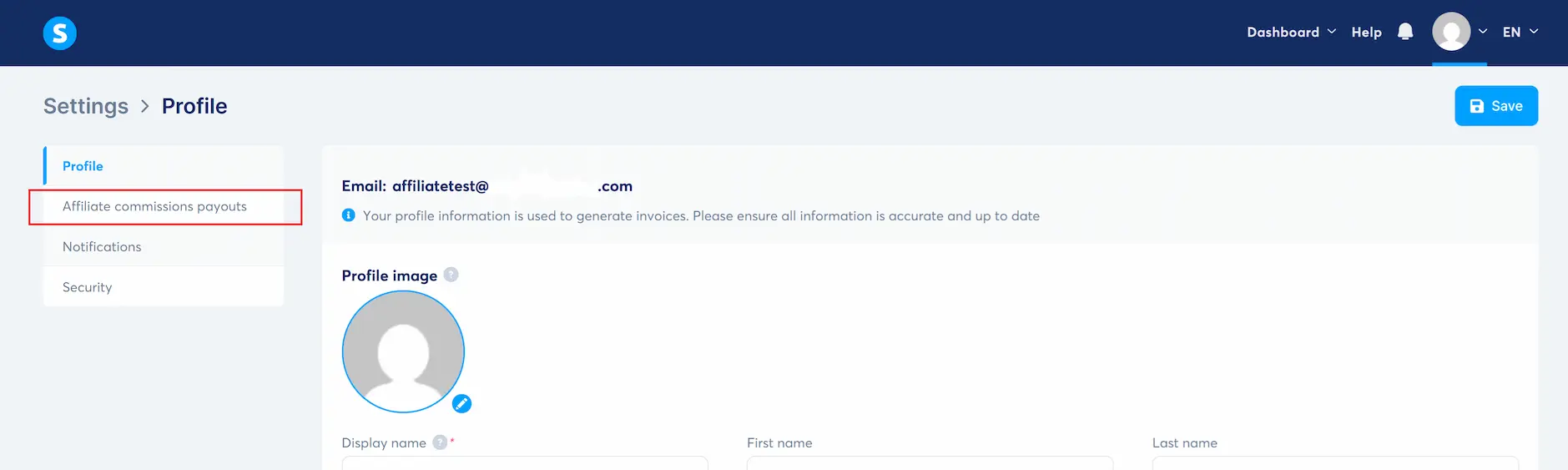
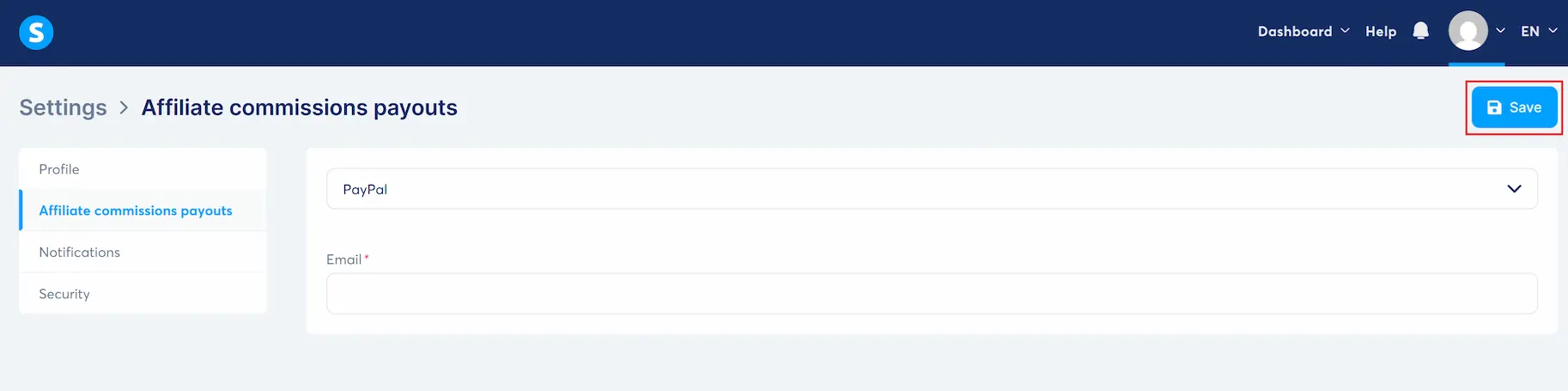
Select Affiliate commissions payouts.
Select PayPal from the drop-down list.
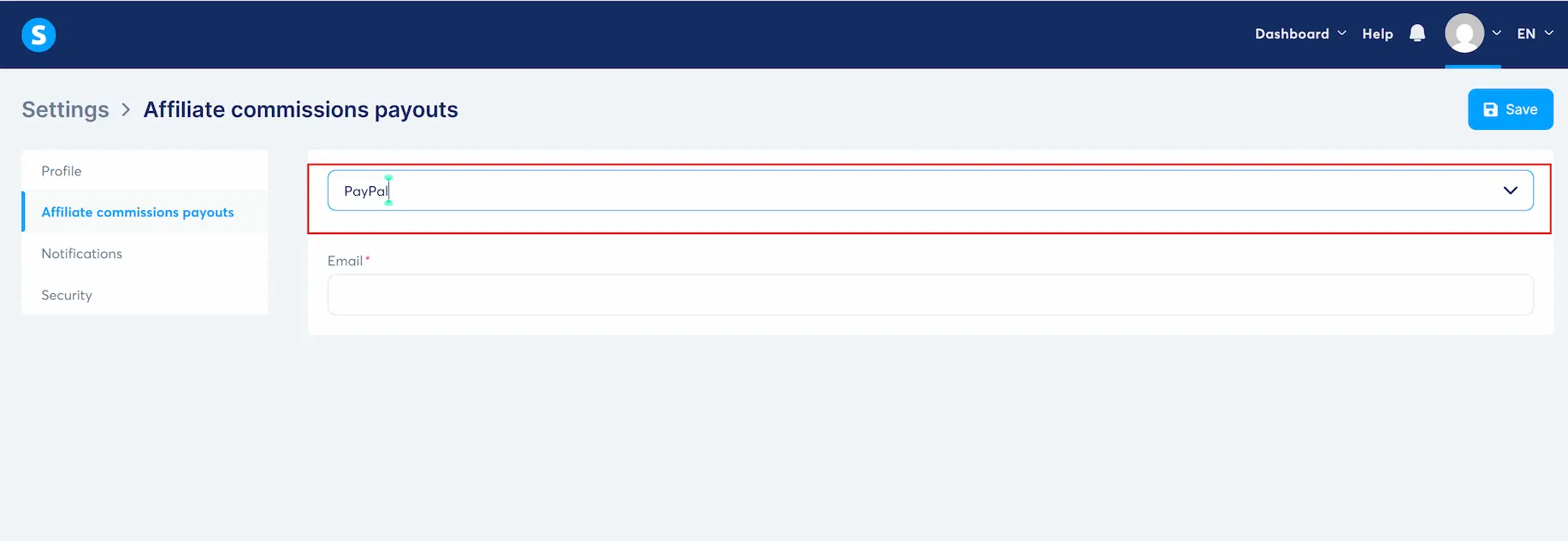
IMPORTANT:
We currently do NOT support payouts via Wire transfer.
Please select PayPal; otherwise, you will not receive commissions.
Enter the email address associated with your PayPal account.
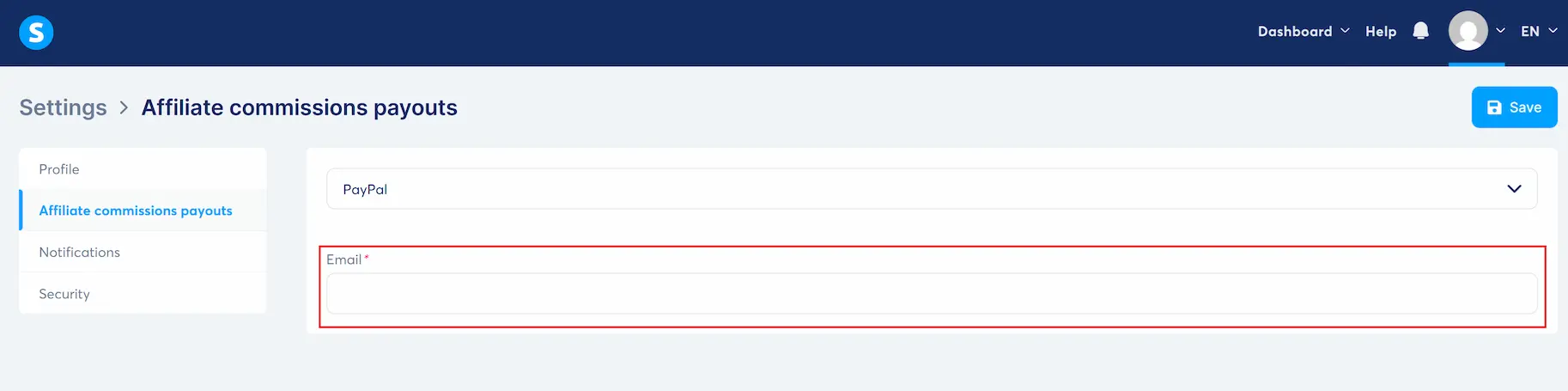
Click on the Save button.
That's all!
Now your PayPal account is linked to receive commissions.


All rights reserved. © 2026 MINDVISION PTY LTD
We recognize & acknowledge the traditional custodians of the land from which we give & receive inspiration and pay our respects to the Elders, past, present & emerging.